Pick From Your Catalogue
Browse your real category tree and select one product or forty. No CSV, no manual uploads, no separate media library to maintain.
Create studio, lifestyle, on-model and holiday images, or translate the text in your product photos for your target market — inside your BigCommerce catalogue. Use your own background or model references to guide the result.
No credit card. Cancel from your BigCommerce admin any time.
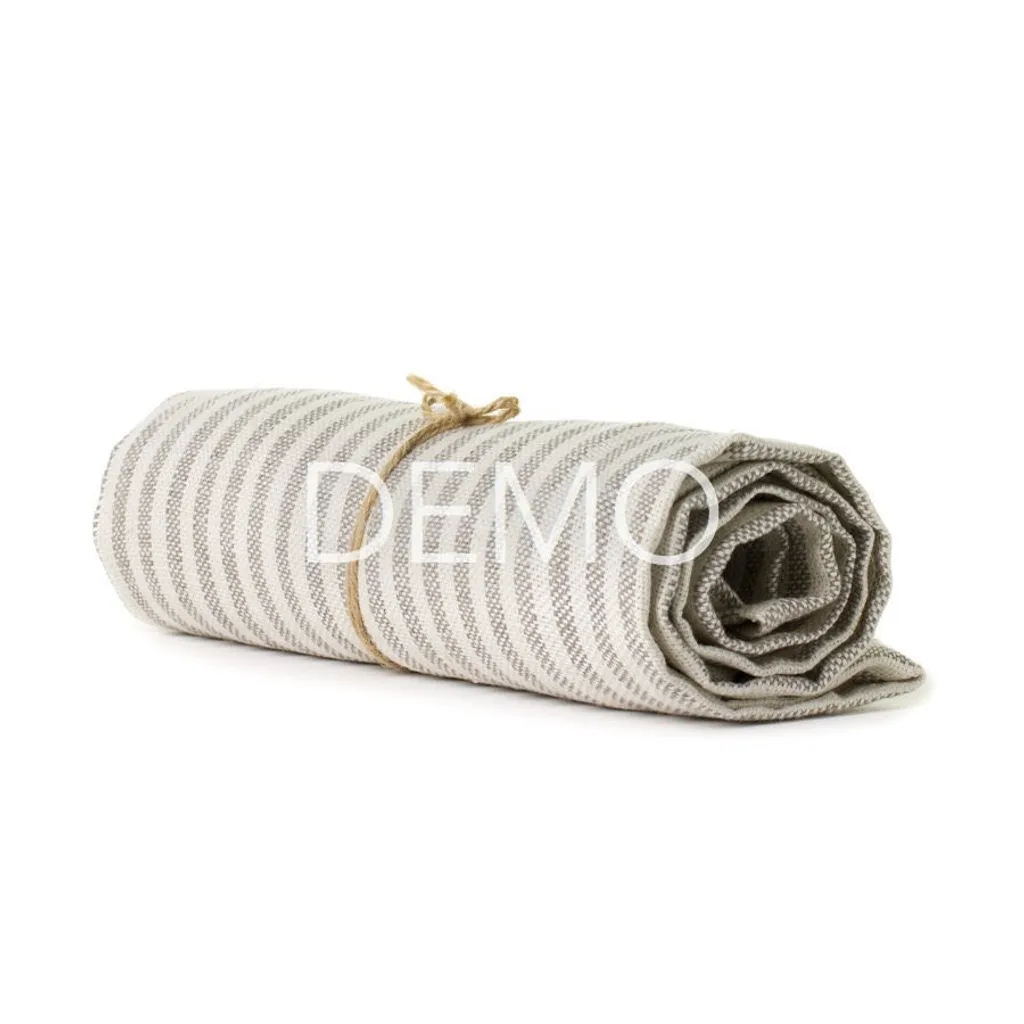
Every result below started from the same plain catalogue photo — white background, watermark and all. Drag any divider to see what changed, and what didn't.
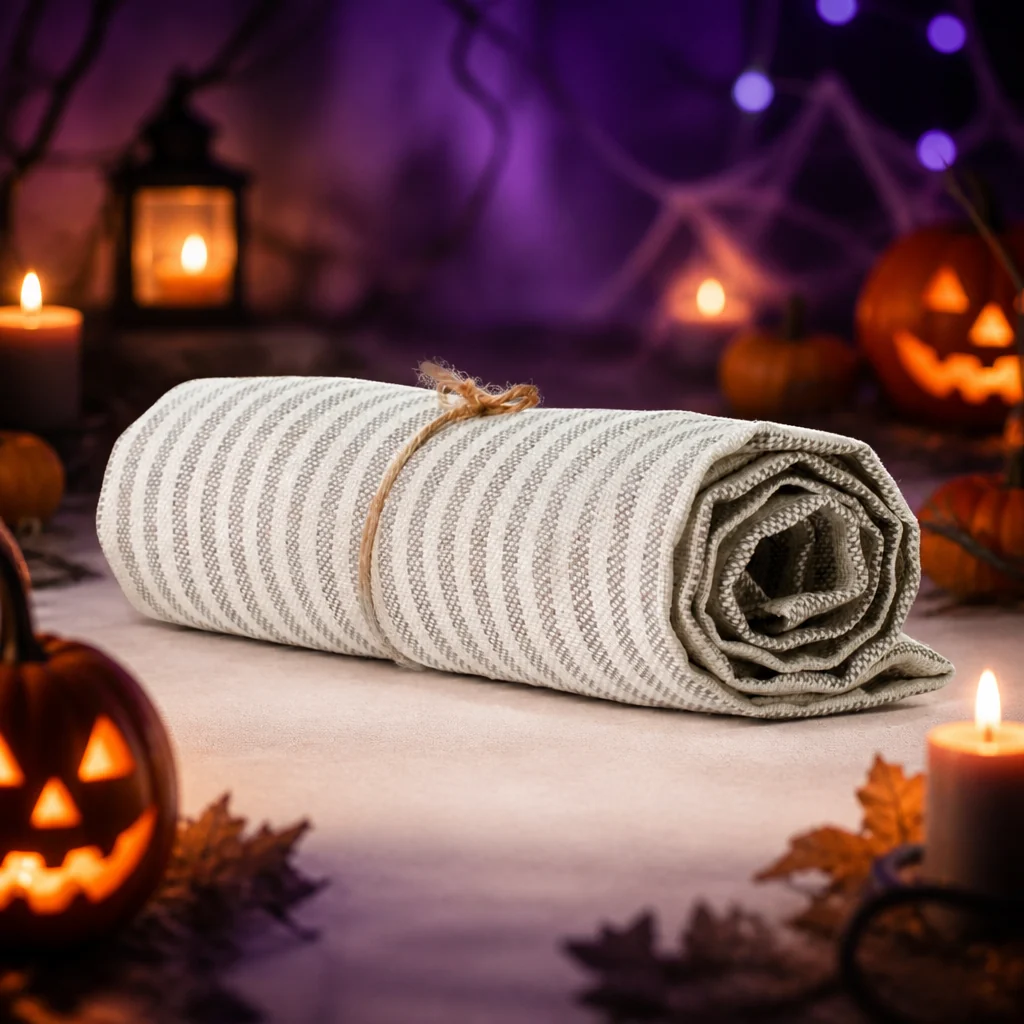


The product itself is untouched in every one — only what surrounds it is generated.
Great product photography sells — but a photo shoot for every scene, season, and use case is slow and expensive, and most merchants ship with whatever plain catalogue shot they started with.
StyleBig closes that gap.
StyleBig is a native BigCommerce app that generates new, on-brand imagery using AI — lifestyle scenes, seasonal overlays, model showcases and translated image text built from your existing product photos, precision tools to erase or extend any image, and a Freestyle mode for standalone assets that need no product photo at all. Review each result, then push it straight into your product's image gallery.
Every other AI photo tool asks you to leave your store, do the work somewhere else, and carry the results back by hand. StyleBig runs where your catalogue already lives.
Pick, generate, save. Results go back onto the product they came from — no export, no re-upload, no second library to keep in sync.
Browse your real category tree and select one product or forty. No CSV, no manual uploads, no separate media library to maintain.
Choose a scene, holiday or model preset, upload a reference where supported, or select a target language to translate image text. Adjust the prompt and generate the whole selection at once.
One click writes the result into that product's BigCommerce image gallery. Nothing reaches your storefront until you choose it.
Create scenes, showcase products on a model, translate image text and make precise edits. Start from your catalogue, use your own references, or create a standalone asset with Freestyle.
Place a product into a styled lifestyle scene. Start from one of 19 presets — marble, weathered wood, sunlit kitchen, coastal beach, velvet pedestal — or describe the setting yourself. Upload your own background image to guide the scene.
Drop a product into a seasonal visual with 14 presets — Black Friday, Christmas, Halloween, Lunar New Year, Diwali, Eid and more — for campaign creative that changes with the calendar.
Show wearable or handheld products on an AI-generated model across 15 settings — studio portrait, urban street, editorial, athletic, business, beach resort and more. Upload a model photo to show your product on the person you choose.
Translate readable text on packaging, labels and product surfaces into your selected target language. Start with a preset language option and refine the ready-made prompt if needed. Designed to fit translated text into the original area while keeping the product and scene intact.
No product needed — 10 presets covering backdrops, flat-lay surfaces, sale posters, social promos and a 3-view model turnaround, plus your own prompts and Surprise Me. Add an optional reference: a person for model turnarounds, or an environment and style for backdrops.
Not every edit needs a whole new scene — sometimes you just need to remove something, or give a tightly-cropped photo more room to breathe.
Brush over the part of a photo you want gone — a stray reflection, a background object, an old logo — and StyleBig regenerates just that area, seamlessly.
Extend a tightly-cropped photo outward — turn a square product shot into a wide banner or tall hero image without losing the original.
Holiday Overlay re-themes your existing product photos for 14 seasonal moments. Re-dress a whole category on Sunday night and have it live Monday morning — then roll it back just as fast when the sale ends.
No quality tiers to decode and no generations that quietly cost more than others. Every image costs exactly one credit, whichever tool made it — so a plan's credit count is simply how many images you get.
Every plan includes every tool. Scene Studio, Holiday Overlay, Model Showcase, Language Conversion, Freestyle, Inpaint, and Outpaint are all available on every plan — the only thing that changes between plans is how many images you get each month.
150 images every month — a solid starting point for a store that refreshes its imagery a few times a week.
320 images every month — built for stores running regular campaigns across multiple product lines.
750 images every month — for a real catalogue that outgrows Pro but doesn't need a bulk allowance.
1,800 images every month — enough to re-shoot a large catalogue end to end, every season.
Every store starts with a free trial of 20 images, no plan and no card required, so you can try every tool before you subscribe. Billing runs through BigCommerce itself, so there is no separate account or card on file with us.
Your first billing period is prorated: BigCommerce aligns the subscription to your store's own billing date and charges only for the days remaining, and your credits for that period are prorated to match. The full monthly allowance arrives from the next renewal onwards.
Prices are in USD and billed by BigCommerce. Plan prices and monthly credit allowances may change as our underlying AI costs change — any change applies from your next billing cycle onwards, never to a period you have already paid for.
See exactly what you've generated, what it cost, and where your plan and credits stand — at a glance.
A running log of every image you've generated — the product it's tied to, the tool used, and the credits it cost — with the option to push any result to your product's live image gallery.
See your current plan, remaining monthly credits, and a full billing history of renewals and upgrades, all in one place.
Your source product photos come directly from your BigCommerce catalogue. Scene Studio also accepts a background reference, Model Showcase accepts a model reference, and Freestyle accepts an optional image. Reference uploads support PNG, JPEG and WebP. Review generated results and save the ones you want to the product.
Yes. Language Conversion detects the source language and translates readable text into your selected target language, including text on labels, packaging and product surfaces. The tool is designed to keep translated text within its original area while preserving the product, background and brand names. Review the result before saving it to your product.
They are sent to OpenAI for processing and the generated result is stored so it can appear in your history. Your images are never used to train a model and are never shared with other merchants.
One generated image, whichever tool made it. There are no quality tiers and no generations that cost more than others. A generation that fails is refunded automatically — you are never charged for an image you did not get.
Monthly credits reset at the start of each billing cycle, so a plan is a monthly allowance rather than a balance that accumulates. If you consistently run out before the month is up, the next plan up is the answer — you can upgrade at any time and the new allowance applies immediately.
BigCommerce aligns an app subscription to your store's own billing date and charges only for the days remaining in that period. Your credits for that first partial period are prorated to match, and the full monthly allowance arrives on the next renewal.
Any time, from your BigCommerce control panel. Billing runs through BigCommerce itself, so there is no separate account or card on file with us, and credits you have already been granted stay usable.
Find out in ten minutes what they could look like. Twenty free images, no card, no commitment — generated in seconds, reviewed by you, pushed live only when you're ready.